


Most email platforms charge by contact, so growing a list can push up the bill before it brings in more revenue. We’ve run email across Venture Harbour’s portfolio companies for over a decade.
A newsletter with 10,000 subscribers needs a different budget and workflow from a B2B team coordinating campaigns across several channels.
01ActiveCampaign
Test Lab Partner (Paid)ActiveCampaign is a member of our Test Lab Programme, which means we receive a fee to conduct hands-on testing of their platform. Learn more about our Test Lab Programme →ActiveCampaign is our first choice if your growing list needs automation beyond newsletters and a welcome series. We’ve used it across eight portfolio companies, sending over 124,000 emails since first trying it in 2012.
Its builder has more than 135 triggers, with webhooks, CRM actions and AI actions available in workflows. You can trigger sequences from app events or changes to a deal, then tailor the emails to what each contact does. The CRM itself is too basic for larger sales teams or complex pipelines.
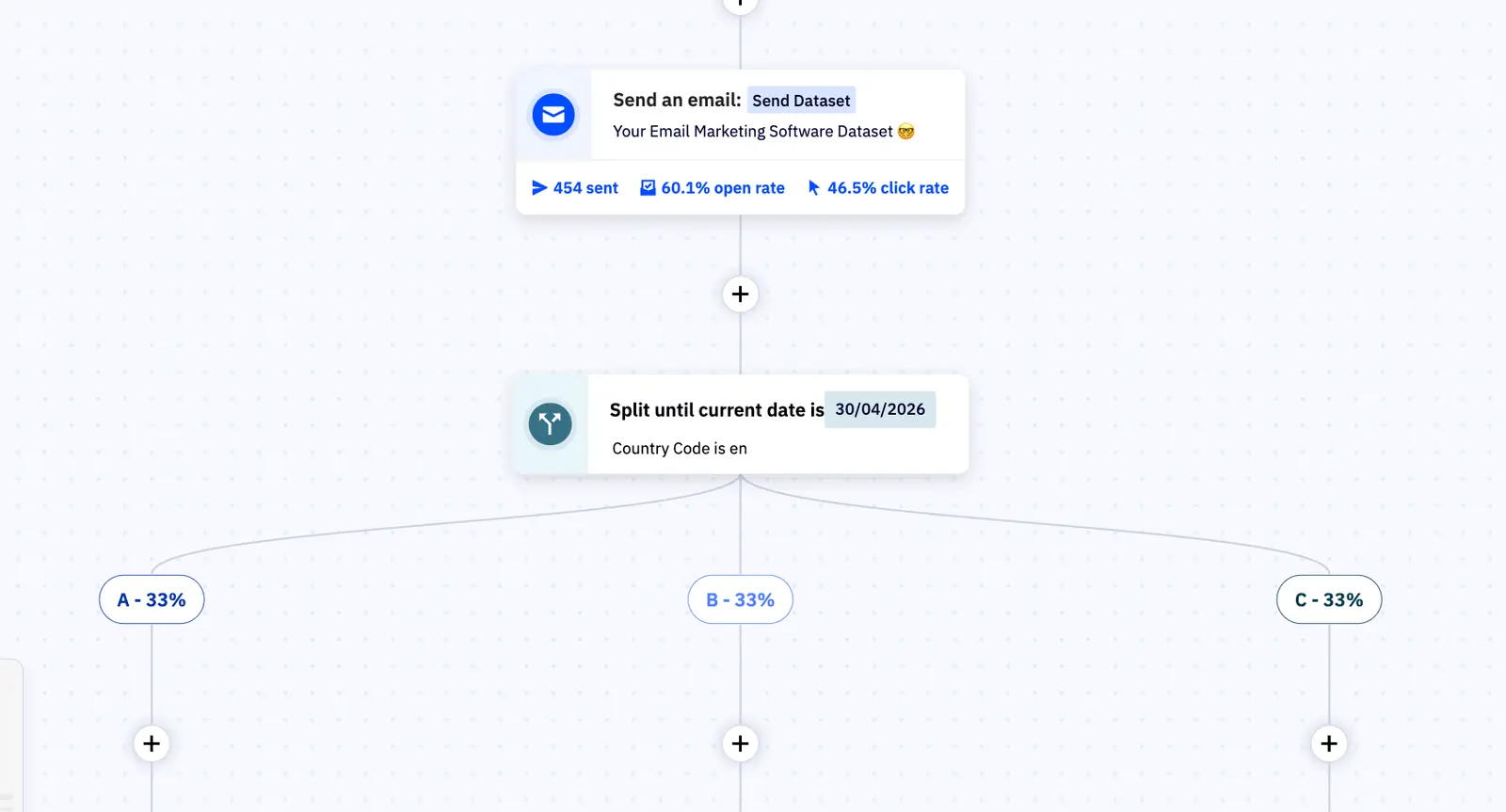
Splitting an entire automation into competing paths lets you test the sequence as well as individual emails. On a SaaS product, that could mean comparing ten emails over a week with five over a month. We’ve used it for nurture sequences, reactivation and free-to-paid upgrades across our own products.
At 10,000 contacts, Plus costs around $189 a month, rising to $389 at 25,000 and $609 at 50,000. Most of our ventures use Plus, which includes automation features such as lead scoring, conditional content and split testing. If you only send newsletters, you’re paying for capabilities you may never use.
New accounts created on or after 3 November 2025 pay for unsubscribed, bounced and unconfirmed contacts too. A list with 9,000 active contacts and 2,500 unsubscribed or bounced addresses moves from the $189 tier to $389 a month. Clean the list before importing it, and check which contacts count towards the bill.
I’d choose it when lifecycle sequences and testing can earn back that extra cost. For a larger sales team, pair it with a dedicated CRM. The ActiveCampaign review covers our automation tests and pricing at each list size.
02EmailOctopus
Test Lab Partner (Paid)EmailOctopus is a member of our Test Lab Programme, which means we receive a fee to conduct hands-on testing of their platform. Learn more about our Test Lab Programme →We tested EmailOctopus across eight areas, from rebuilding a newsletter by hand to setting up a welcome sequence. If you run a growing newsletter and a welcome series is about as complex as your automation gets, it keeps the bill low as the list grows.
At 10,000 subscribers, Pro costs $44.50 a month on monthly billing and includes 100,000 emails. That covers ten full-list newsletters before automated emails use any of the allowance.
The campaign editor was straightforward to use, and a human answered our live chat question in under two minutes. Matching our reference design exactly was harder: font sizes were restricted to presets, and changing column proportions wasn’t obvious.
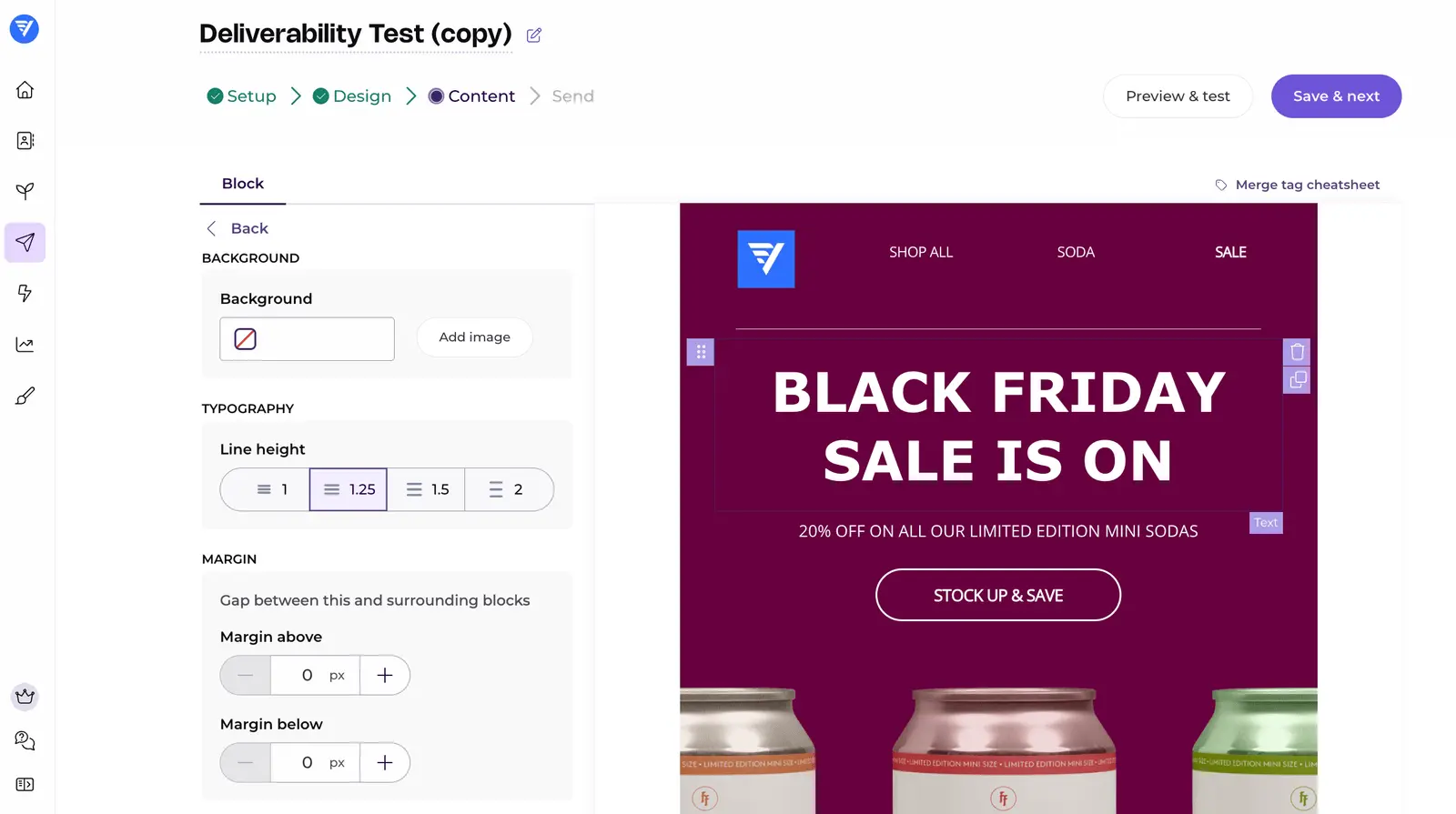
The automation builder supports delays and conditions based on opens, clicks or tags. We couldn’t find webhooks or actions in third-party apps during testing, so I’d choose ActiveCampaign if those are central to your workflows.
The free plan allows 2,500 subscribers and 10,000 emails a month, with EmailOctopus branding and reports available for 30 days. Keeping more than 2,500 contacts requires a paid plan, even if you only email part of the list.
If newsletters and a welcome series cover what you need, try EmailOctopus with a sample campaign before importing the whole list.
03GetResponse Enterprise

GetResponse is similar to ActiveCampaign in many ways although there are some feature differences you’ll want to look into. The choice depends on which features you need.

You can find out more about the feature differences at Marketingautomationinsider.com but GetResponse Enterprise is a solid offering, either way.
In terms of having a large contact list, GetResponse Enterprise is priced on the number of contacts you have and prices climb quite steeply at the longer end. It still works out cheaper than many of the market leaders but it simply offers less than ActiveCampaign and works out slightly more expensive.
If you prefer the interface or the specific feature offerings, this could be an option.
04Marketo

Marketo is a different kind of platform to ActiveCampaign and GetResponse. This time you’re looking at a collection of products that includes email marketing, marketing automation, social marketing, digital ads and various other management applications.
Marketo doesn’t really cater for SMEs and this is reflected in the structure of its software and the pricing. Its enterprise features come at a higher price.
For most businesses, Marketo is more than they’ll ever need and more than they should probably be paying for an email marketing platform. It is worth considering if you need those features across several marketing channels.
05IBM Watson Campaign Automation

IBM’s Watson Campaign Automation is a true piece of B2B enterprise software, providing an all-in-one marketing automation system that includes advanced email marketing features.
Pricing and the dated interface are drawbacks. It’s not exactly easy on the eye and navigating the system can be clunky at times.
06Oracle Eloqua
Much like IBM’s offering, Oracle’s Eloqua is geared towards enterprise B2B companies and it comes with many of the same benefits/compromises. It’s somewhat easier to use than IBM’s Watson Campaign Automation, though, thanks to a significantly more intuitive user interface that makes getting around the platform easier.
Eloqua’s automation features take time to learn. Its analytics offer real-time reporting across multiple channels, helping you see how email contributes to your wider marketing efforts.
If you need reporting across several channels and have an enterprise budget, Eloqua is worth considering.
FAQ
What’s the difference between email marketing for small vs large contact lists?
Contact count affects the price, but a larger list doesn’t automatically require an enterprise platform. EmailOctopus’s Pro plan includes 10,000 subscribers and 100,000 monthly emails for $44.50; its automation actions are limited.
Is ActiveCampaign or GetResponse Enterprise better for managing large contact lists?
ActiveCampaign excels at mid-market to enterprise automation with superior CRM integration and workflow complexity, whilst GetResponse Enterprise focuses on ease-of-use with strong e-commerce features. Your choice depends on whether you prioritise advanced automation (ActiveCampaign) or user-friendly campaign management (GetResponse).
How do IBM Watson Campaign Automation and Oracle Eloqua compare?
Both are enterprise-level platforms designed for organisations with massive contact lists, but Oracle Eloqua leads in lead scoring and nurturing whilst IBM Watson Campaign Automation emphasises AI-driven insights and predictive analytics. Oracle Eloqua is typically chosen by B2B enterprises, whilst IBM Watson suits organisations already invested in IBM’s ecosystem.
What email marketing platform should I use if I’m scaling my contact list?
I’d consider EmailOctopus if you’re growing a newsletter with straightforward welcome sequences. For workflows needing actions in third-party apps, I’d look at ActiveCampaign.
Can you use basic email marketing tools with a large contact list?
Yes, if their sending allowance and automation features cover what you need. EmailOctopus includes 100,000 monthly emails at 10,000 subscribers on Pro, though we couldn’t find third-party automation actions or webhooks during testing.
Which email marketing tools do large brands and enterprises actually use?
Enterprise organisations typically use Marketo, Oracle Eloqua, IBM Watson Campaign Automation, or ActiveCampaign depending on their industry and existing tech stack. Their features include personalisation and compliance tools.
What features matter most when choosing an email platform for large contact lists?
Deliverability infrastructure, advanced segmentation, marketing automation workflows, and CRM integration are critical for large contact lists. Check the sending limits and compliance features alongside the monthly price.