


I was once advised that the best CRM software is the one you’ll use.
Pointed advice, considering I’d bounced between spreadsheets, Pipedrive, ActiveCampaign and a Trello board in the last 12 months.
As a venture studio, we’ve tested (almost) every major small business CRM platform to help streamline sales across our ventures. We currently use ActiveCampaign, though mainly because it’s our go-to for marketing automation and not because of its (fairly average) CRM.
If you have a larger team, I’d recommend our enterprise CRM software guide.
| CRM | Suited to | Starting price |
|---|---|---|
| HubSpot | Free contact and deal management | Free; Sales Hub Starter from $20/seat/month |
| Close | Sales-driven businesses | $9 solo; $35/user/month for teams |
| Pipedrive | Visual sales pipelines | €14/user/month |
| NetHunt CRM | Sales management inside Gmail | $24/user/month |
| Copper | Google Workspace teams | $23/seat/month |
| Salesflare | Reducing manual contact entry | $29/user/month |
| Salesmate | Sales communication and pipelines | $23/user/month |
| Zoho CRM | Growing teams needing customisation | $14/user/month |
| Salesforce | Teams combining sales and service | $25/user/month |
| Insightly | Sales followed by project delivery | $29/user/month |
| Agile CRM | Small teams combining sales and email | Free; paid rates vary by term |
| Creatio | Custom CRM processes | Quote; $10,000 annual minimum |
| Bitrix24 | CRM with team collaboration | $49/month for five users |
| Less Annoying CRM | Simple contact and pipeline management | $15/user/month, monthly billing |
| ActiveCampaign | Marketing automation linked to sales | Contact-based plan plus CRM add-on |
What CRM Features are Most Important to Small Businesses?
Start with the tasks your team repeats each week, then check which subscription includes them.
- Costs: Count every paid seat, required add-on and setup fee. Check what happens when you add users, contacts or automation runs.
- Goals: Decide whether you need contact records, sales follow-ups or a wider marketing platform.
- Scalability: Check the next plan’s price before relying on a feature you will soon outgrow.
- Integrations: Test the connection to your email, calendar and other essential tools.
- Usability: Ask the people using the CRM to import contacts and move a deal through the pipeline.
The Best CRM Software for Small Business
- HubSpot - Free contact and deal management
- Close - Calling, email and AI-assisted sales
- Pipedrive - Visual sales pipelines
- NetHunt CRM - Sales management inside Gmail
- Copper - Google Workspace teams
- Salesflare - Reducing manual contact entry
- Salesmate - Sales communication and pipelines
- Zoho CRM - Growing teams needing customisation
- Salesforce - Teams combining sales and service
- Insightly - Sales followed by project delivery
- Agile CRM - Small teams combining sales and email
- Creatio - Custom CRM processes
- Bitrix24 - CRM with team collaboration
- Less Annoying CRM - Simple contact and pipeline management
- ActiveCampaign - Marketing automation linked to sales
01HubSpot
HubSpot is my first choice for a small business starting with a free sales pipeline. Contacts, deals and follow-up tasks sit together, and its paid sales, marketing and service tools build on the same records.
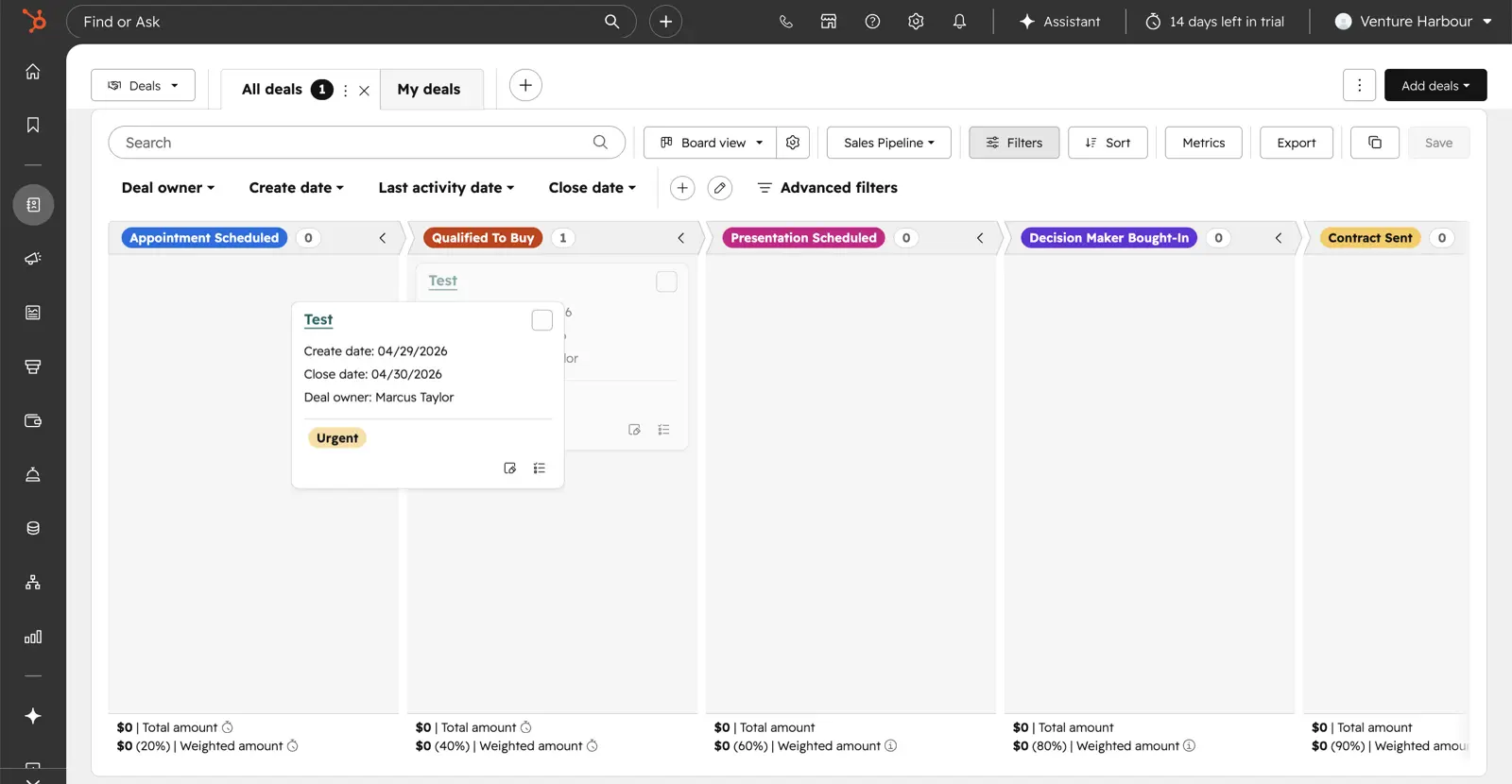
Email tracking, meeting scheduling and live chat are included. The free CRM has no time limit, but its allowance of two users and 1,000 contacts means a larger team needs a paid plan.

Marketing, sales and service products share that CRM. Advanced features depend on the hub and subscription you buy, so price the combination your team needs before moving everything across.
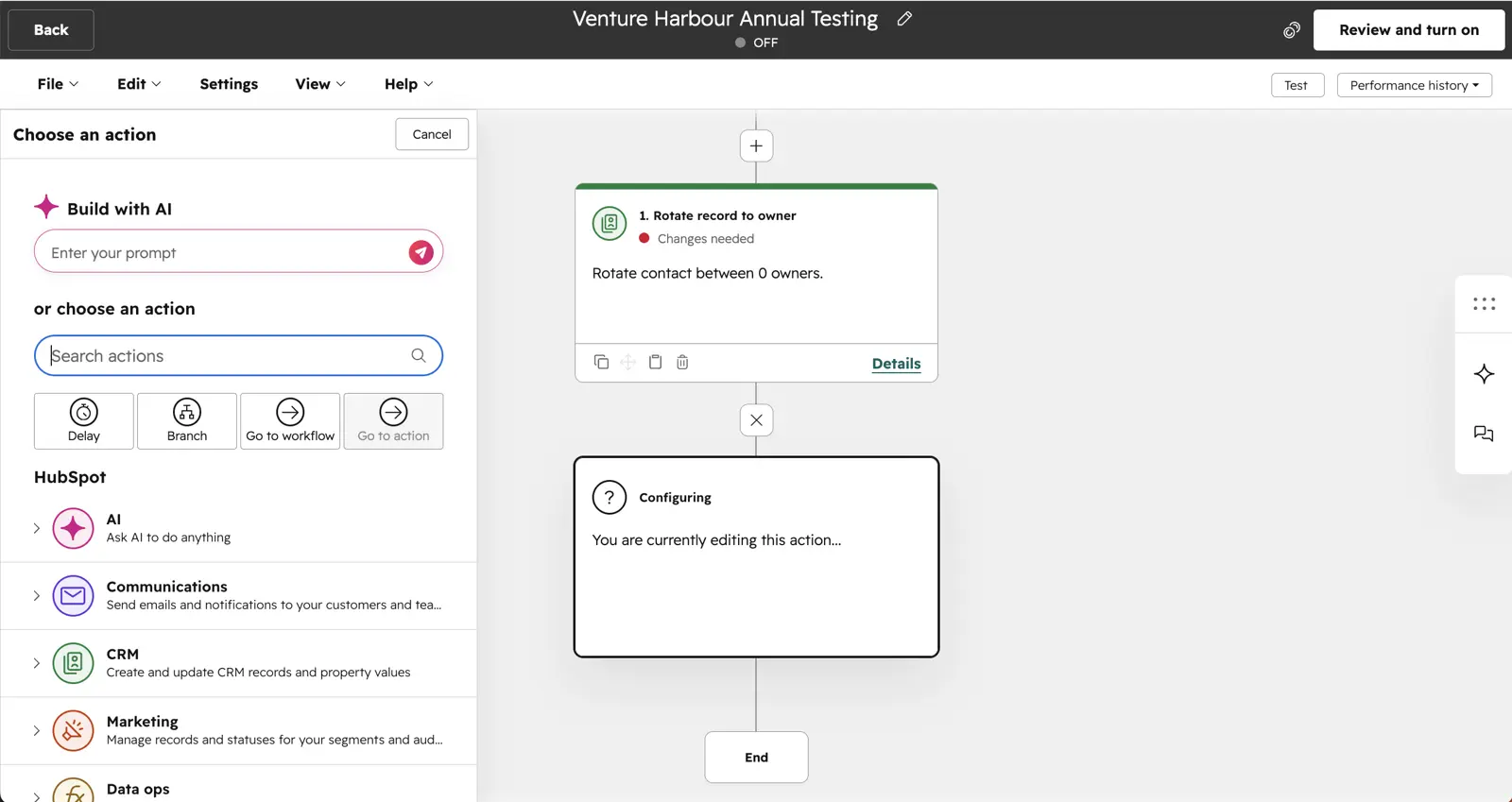
Standout feature: Contact records shared across sales, marketing and service.
Key Features:
- Contact management
- Deal tracking
- Tasks and activities
- Meeting scheduling
- Email tracking
Additional features:
- Live chat
- Marketing Hub
- Sales Hub
- Service Hub
Pricing:
The free CRM allows two users and 1,000 contacts without a time limit. Paid pricing depends on the hub, seats and feature tier; marketing subscriptions also depend on marketing contacts.
| Option | Price | Main limit |
|---|---|---|
| Free CRM | $0 | Two users and 1,000 contacts |
| Sales Hub Starter | From $20/month per Core Seat | Standard catalogue price; offers can differ |
| Other paid hubs | Depends on configuration | Check seats, contacts and onboarding costs |
Use the relevant hub’s quote for budgeting. Our HubSpot review covers the wider platform.
02Close
Test Lab Partner (Paid)Close is a member of our Test Lab Programme, which means we receive a fee to conduct hands-on testing of their platform. Learn more about our Test Lab Programme →Close is the best CRM for small businesses that want calling, email, SMS and the pipeline in one place. Reps work every lead from one screen, and the whole team can see where a deal stands without digging through inboxes.
A rep can call a lead, send an email and follow up by SMS from the same CRM. Keeping those conversations alongside the deal makes sense when several people need to know where a sale stands. Calling and SMS usage cost extra.
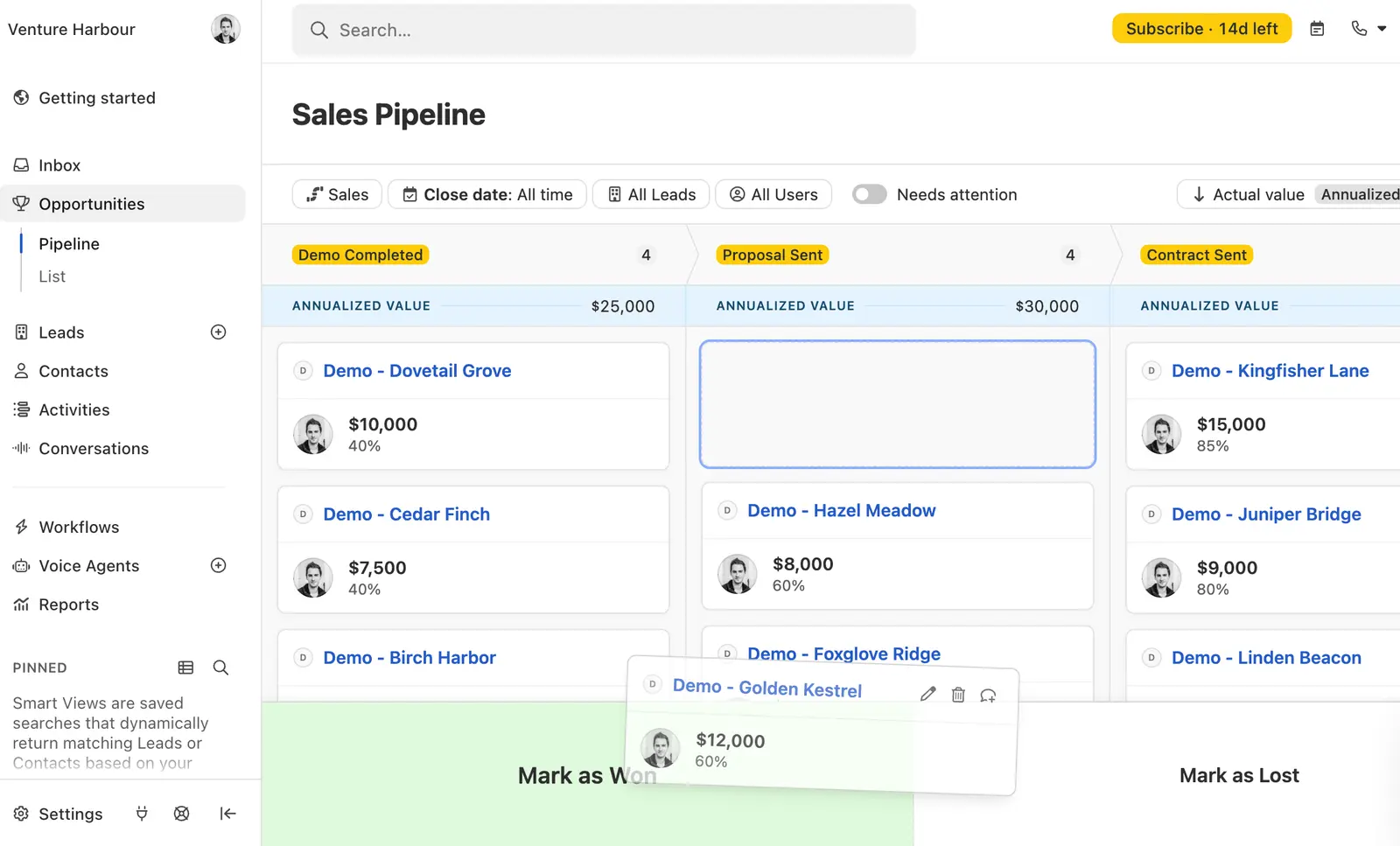
Close’s workflows let you schedule follow-ups as your team takes on more leads. You can build a sequence that sends an introduction email and schedules the next touch, without a rep having to remember each send.
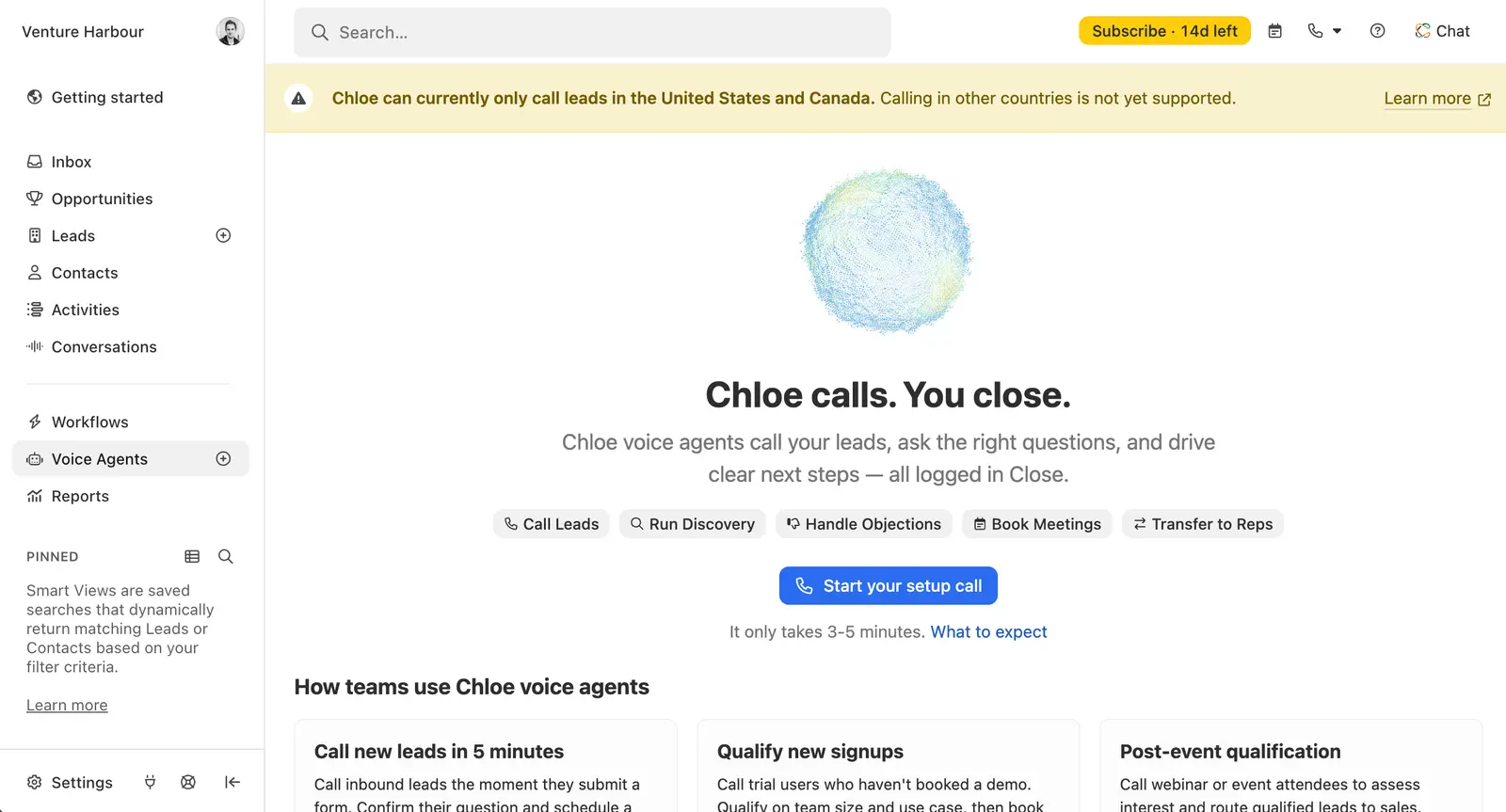
Chloe, Close’s AI assistant, can build an entire follow-up workflow from your instructions. She also answers questions about your leads and pipeline, updates records, and builds reports on request. For a small team that knows its sales process, that means less time building automations step by step.
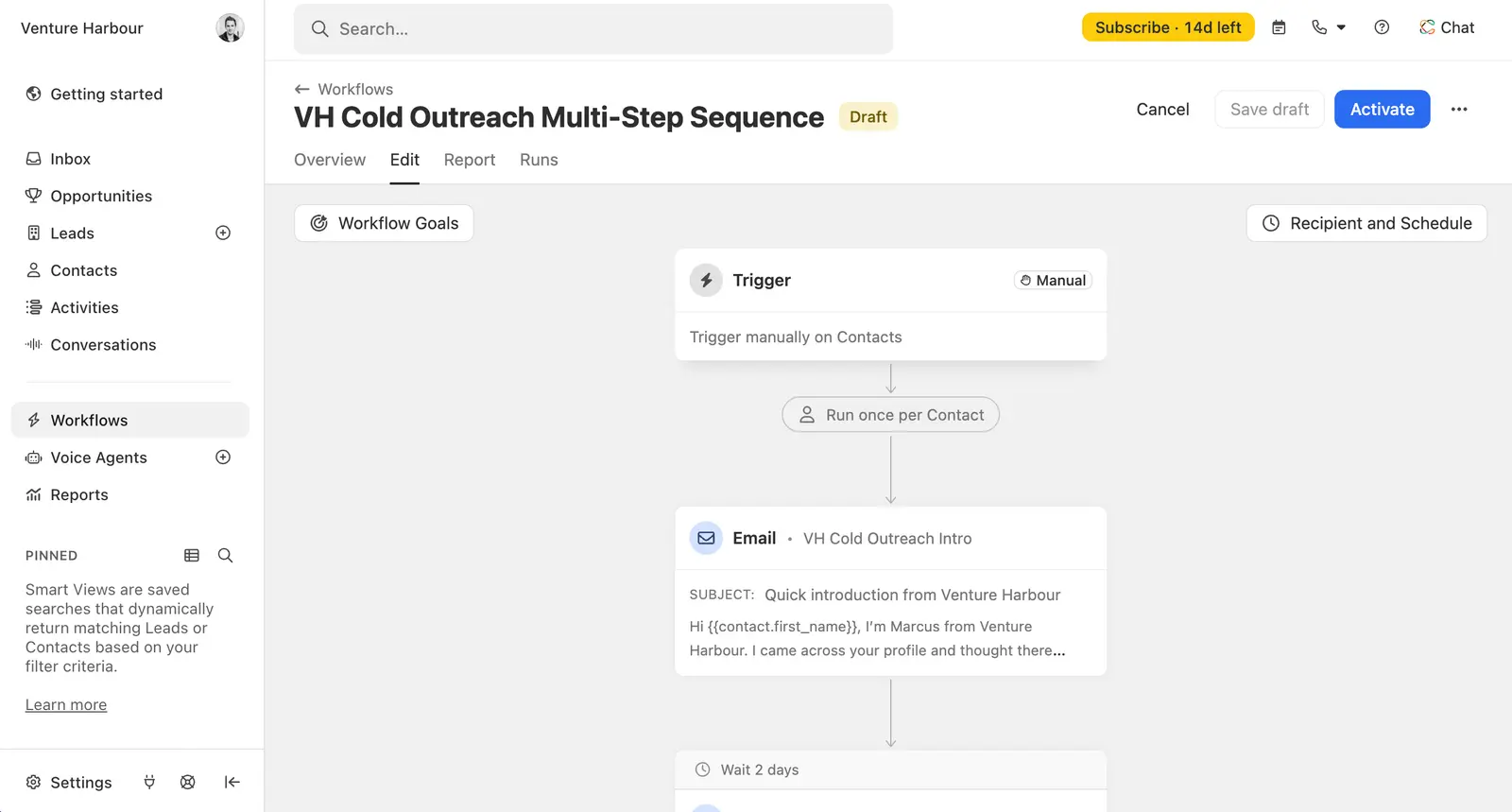
The voice agents are what I’d look at if reps spend much of their time qualifying leads. A Voice Agent can make the initial call, ask qualifying questions and book a meeting, or hand the call to a rep.
That gives a growing team another way to handle enquiries before adding more people to the phones. Voice Agent calling is currently limited to leads in the United States and Canada.
Close’s API and MCP connections let you connect other tools or work with your CRM through an AI assistant. If you only need somewhere to keep contact records, Close is more than you need. If calls and follow-ups are how you win customers, it’s the one I’d pick.
Standout feature: Calling, email, SMS and AI-assisted follow-up connected to the sales pipeline.
Key Features:
- Contact and lead management
- Sales pipelines
- Built-in calling, email and SMS
- Workflow automation on Growth and above
- Chloe AI assistant and voice agents
Additional features:
- Power dialler on Growth
- Predictive dialler on Scale
- Reporting
- API and MCP connections
Pricing:
| Plan | Per user/month, billed annually | Per user/month, billed monthly | Main limit or addition |
|---|---|---|---|
| Solo | $9 | $19 | One user, 10,000 leads, no workflows |
| Essentials | $35 | $49 | Team access, no workflows |
| Growth | $99 | $109 | Workflows and power dialler |
| Scale | $139 | $149 | Predictive dialler and advanced controls |
Workflows start on Growth at $99 per user/month billed annually, up from $35 for Essentials. Budget for Growth if automation is why you are buying.
Calling and SMS usage cost extra. AI credits have monthly allowances, with additional credits available to buy. Close offers a 14-day free trial.
03Pipedrive
Pipedrive puts the sales pipeline at the centre of the work: each deal has a stage and a next activity. That suits a small sales team keeping track of opportunities and follow-ups.

Lite covers the basic pipeline. Full email synchronisation, follow-up sequences and workflow automation start on Growth, so the cheapest plan will be restrictive if you want to automate outreach.
Campaigns is available for email marketing at an additional cost. Check the add-ons as well as the seat price when comparing it with a broader CRM.
Standout feature: A visual pipeline organised around deals and their next activities.
Key Features:
- Contact and lead management
- Customisable pipelines
- Activity calendar
- Reporting
Additional features:
- Email sync on Growth
- Automations on Growth
- Campaigns add-on
- Mobile app and integrations
Pricing:
The pricing page currently displays Lite at €14, Growth at €39, Premium at €59 and Ultimate at €79 per seat/month, billed annually. Prices vary by region; these are euro prices, not converted dollar figures.
A 14-day free trial is available. Campaigns, Projects and other add-ons can increase the subscription.
04NetHunt CRM
NetHunt brings contact records and deal pipelines into Gmail, so your team can manage sales from the inbox. It fits a sales process where most customer conversations already happen by email.

Basic Plus adds mass email campaigns and WhatsApp integration. Automated workflows require Business or above, so a team expecting automated follow-ups should budget beyond Basic.

The workflow builder can create tasks, update records and send emails when a trigger fires. Workflow and action allowances vary by plan.
Standout feature: Gmail integration for managing contacts and sales pipelines.
Key Features:
- Contact and lead management
- Multiple pipelines
- Tasks
- Google Workspace integration
Additional features:
- Mass email on Basic Plus
- WhatsApp on Basic Plus
- Workflows on Business
- Sales reports on Business
Pricing:
Basic includes Google Workspace integration and costs $24 per user/month annually or $30 monthly. Basic Plus costs $34 annually or $42 monthly.
Business is $60 per user/month on monthly billing; annual pricing now requires a quote. There is a 14-day trial.
05Copper
Copper connects client relationships and project management with Google Workspace. It suits a team that needs to track both the sale and the work that follows through its Google tools.

Basic has a 2,500-contact limit. Professional raises that to 15,000 and adds workflow automation, bulk email and reporting.
Business adds email sequences and unlimited contacts. A growing database can therefore force an upgrade even if your team size stays the same.
Standout feature: Google Workspace integration with sales pipelines and project management.
Key Features:
- Contact management
- Pipelines
- Project management
- Task automation
Additional features:
- Workflow automation on Professional
- Bulk email on Professional
- Reporting on Professional
- Email sequences on Business
Pricing:
Basic includes pipelines and project management at $23 per seat/month annually. Professional costs $59 and Business $99. Monthly billing costs $29, $69 and $134 respectively.
06Salesflare
Salesflare reduces the work of keeping contact records up to date by gathering information from emails, signatures and other sources. It also logs meetings and calls, which suits teams losing time to manual data entry.

Growth includes email campaigns and tracking. Multi-email workflows, custom dashboards and user permissions require Pro, which costs $49 per user/month on annual billing.

That makes the entry plan useful for keeping records organised, with a higher bill once you need automated follow-up sequences.
Standout feature: Automatic contact data capture and activity logging.
Key Features:
- Contact management
- Pipeline management
- Activity logging
- Email campaigns
Additional features:
- Website and email tracking
- Gmail and Outlook sidebars
- Custom dashboards on Pro
- Multi-email workflows on Pro
Pricing:
Growth costs $29 per user/month annually or $39 monthly. Pro costs $49 annually or $64 monthly.
Enterprise costs $99 per user/month annually or $124 monthly, with a five-user minimum. It includes migration, training and a dedicated account manager.
07Salesmate
Salesmate brings email, calling and deal tracking into one account. A team managing appointments and follow-ups can keep those activities alongside its contacts and sales pipeline.

Sequences and a team inbox require Pro. The power dialler sits on Business, so a calling-heavy team should compare that plan with the alternatives.

Automation uses credits, with different allowances on each plan. Calling and texting also need to be included in your budget.
Standout feature: Email, calling and deal management within one CRM.
Key Features:
- Contact and company management
- Deal pipelines
- Activity tracking
- Email sync and tracking
- Meeting scheduler
Additional features:
- Sequences on Pro
- Team inbox on Pro
- Custom reports on Pro
- Power dialler on Business
Pricing:
Basic costs $23 per user/month, Pro $39 and Business $63, billed annually. Basic includes email synchronisation, tracking, a meeting scheduler and standard reports. Enterprise requires a quote.
The free trial lasts 15 days. Check usage charges and automation credits alongside the seat price.
08Zoho CRM
We tried Zoho while choosing a CRM for Venture Harbour and found it a bit clunky. Its flexibility suits a growing team that needs to customise fields and workflows as its sales process becomes more complex.

The free edition supports three users. Paid editions add sales forecasting, email tools and more customisation, with allowances that differ across plans.

Zoho also sells separate products for accounting, support and marketing. Those subscriptions need their own budget; a CRM licence does not include the entire Zoho range.
Standout feature: A range of CRM editions and connected business applications.
Key Features:
- Contacts and leads
- Deals and activities
- Sales forecasting on paid plans
- Custom fields
Additional features:
- Workflow automation
- Analytics
- Zia AI features by edition
- Separate support and accounting products
Pricing:
The free edition supports three users. Annual prices are $14 per user/month for Standard, $23 for Professional, $40 for Enterprise and $52 for Ultimate.
Monthly prices are $20, $35, $50 and $65 respectively. Check the edition comparison for the particular automation and AI features you need.
09Salesforce
Salesforce brings sales, service and marketing onto a shared platform. Lead routing and email nurture campaigns make it a fit for teams that need to manage both incoming enquiries and ongoing sales conversations.

Pro Suite adds more customisation and automation, plus AppExchange access. The jump from $25 to $100 per user/month is substantial for a small team.

Decide which processes need that extra flexibility before buying. Separate products and implementation work can increase the total cost.

Standout feature: A shared platform for sales, service and marketing.
Key Features:
- Lead and contact management
- Sales flows
- Lead routing
- Email nurture campaigns
Additional features:
- Service tools
- Additional automation on Pro
- Customisation on Pro
- AppExchange access on Pro
Pricing:
Starter Suite starts at $25 per user/month, billed monthly or annually. Pro Suite costs $100 per user/month, billed annually.
Request a quote for any additional products, implementation and support. Pro requires an annual contract.
10Insightly
Insightly connects selling with project delivery by keeping projects alongside leads, contacts and opportunities. It suits businesses where winning the deal is the start of the work for the same team.

Plus includes reports and dashboards. Workflow automation requires Professional, and marketing automation is a separate product.

That separation makes the CRM price easier to assess, but a team wanting both sales and marketing needs to price both subscriptions.
Standout feature: Project management alongside sales records.
Key Features:
- Lead and contact management
- Opportunity management
- Project management
- Reports and dashboards
Additional features:
- Workflow automation on Professional
- Lead assignment on Professional
- Separate marketing automation
- AppConnect integrations
Pricing:
Plus costs $29 per user/month, Professional $49 and Enterprise $99, billed annually. Plus and Professional offer a 14-day free trial.
Marketing, support and AppConnect have separate pricing.
11Agile CRM
Agile CRM combines sales, email campaigns and helpdesk tools in one account. It suits a small team that handles both winning customers and answering their support requests.

The free allowance is 1,000 contacts and companies, with one plugin integration. Starter raises the contact allowance to 10,000 and includes marketing automation.

Regular supports 50,000 contacts. Check the workflow and integration limits before importing a larger database.
Standout feature: Sales, email campaigns and helpdesk tools in one account.
Key Features:
- Contact management
- Deal tracking
- Lead scoring
- Appointment scheduling
Additional features:
- Email campaigns
- Landing pages
- Helpdesk
- Marketing automation on paid plans
Pricing:
The free plan allows ten users and 1,000 contacts and companies. Agile advertises paid rates as low as $8.99 for Starter, $29.99 for Regular and $47.99 for Enterprise per user/month.
Those are advertised minimum rates, not a confirmed monthly-billing quote. Check the commitment and total charge at checkout.
12Creatio
Creatio lets you build custom applications and workflows visually. It suits a business whose sales process needs more customisation than contact fields and pipeline stages.

New customers face a $10,000 minimum annual purchase. That makes it difficult to justify for a very small team with straightforward contact and pipeline needs.

The platform and applications are priced separately. Get a combined quote before comparing its per-user rates with a simpler CRM.

Standout feature: Visual application and workflow building for custom processes.
Key Features:
- Sales process management
- Lead and opportunity management
- Workflow design
- Custom applications
Additional features:
- Marketing product
- Service product
- AI tools
- Marketplace integrations
Pricing:
Creatio lists its platform from $40 per user/month, with Sales, Marketing and Service modules from $15 per user/month each. The minimum purchase for new customers is $10,000 per year.
Request a quote for the complete configuration. Include support and any extra applications in that quote.
13Bitrix24
Bitrix24 combines CRM records with tasks, shared calendars, chat and video calls. Teams coordinating sales and project work can manage both customer records and internal conversations in the same account.

Paid plans are priced per organisation, each with a user allowance. The free plan covers one or two users.

Sales automation and email marketing appear on Professional. That plan costs $199 per month on annual billing, even if you only need a few seats.
Standout feature: CRM and collaboration tools with organisation-level pricing.
Key Features:
- Contacts and deals
- Tasks and projects
- Shared calendars
- Team chat and video calls
Additional features:
- Sales pipelines on Basic
- Web forms on Standard
- Sales automation on Professional
- Email marketing on Professional
Pricing:
Basic costs $49 per organisation/month for five users, Standard $99 for 50, and Professional $199 for 100, billed annually. Monthly rates are $69, $144 and $289.
These are the Essentials range prices. Vibe+ packages cost more; check which range is selected before buying.
14Less Annoying CRM
Less Annoying CRM keeps contact, pipeline and task management simple, with one plan covering the lot. It suits a small business that wants to organise customer relationships without choosing between feature tiers.
It includes email logging and mobile access. Teams needing a wider marketing or service platform should check whether its integrations cover their requirements before committing.
Standout feature: One price for contact, pipeline and task management.
Key Features:
- Contact and company management
- Unlimited pipelines
- Task management
- Email logging
Additional features:
- Mobile access
- User permissions
- 25GB file storage per user
Pricing:
The single plan includes unlimited contacts and companies for $15 per user/month plus applicable tax, billed monthly. There is a 30-day free trial and no annual commitment.
View Less Annoying CRM’s plans.
15ActiveCampaign
We originally used ActiveCampaign for email marketing at Venture Harbour. Marketing automation is its strength, making it a fit for businesses where email campaigns drive sales and follow-up.

Deal pipelines now sit in the Pipelines enhanced CRM add-on, available with Plus, Pro and Enterprise. Starter does not include that add-on, so its headline marketing price is not a CRM budget.
The Sales Engagement add-on adds automated one-to-one emails and further sales capabilities. Pricing depends on your contacts, base plan and add-ons.
Standout feature: Marketing automation connected to deal pipelines through an add-on.
Key Features:
- Email campaigns
- Marketing automation
- Contact segmentation
- Campaign reporting
Additional features:
- Pipelines CRM add-on
- Sales Engagement add-on
- Landing pages on Plus and above
- Predictive sending on Pro and above
Pricing:
Current plans are Starter, Plus, Pro and Enterprise. ActiveCampaign advertises entry-level marketing from $15/month for 1,000 contacts; CRM add-ons require Plus or above and cost extra.
Use the configurator for your contact count and billing term, then obtain the CRM add-on price. Check send and seat allowances before buying.
How to Choose the Best CRM for Your Small Business
Compare the total bill for the features your team needs today and the next plan you might grow into. A low seat price means little if the follow-up workflow you need sits two tiers higher.
STEP #1: Comprehensive vs Focused: Determine Which Solution Fits Your Needs
If you need sales, marketing and service together, compare the relevant products from HubSpot, Salesforce, Zoho, Insightly, Agile CRM, Creatio and Bitrix24. Check which products are included in the quote.
For contact and sales management, start with Close, Pipedrive, NetHunt, Copper, Salesflare, Salesmate or Less Annoying CRM. ActiveCampaign is worth considering if marketing automation drives your sales process and you can justify the CRM add-on.
STEP #2: Match Your Business Type, Usability and Requirements
Test your actual sales process: import a few contacts, connect email and create a deal. Check whether the people doing the work can find the next action without help.
STEP #3: Focus on 2-5 Solutions to Test Drive
Pick two to five options and run the same tasks in each trial. Ask for a complete quote before committing to an annual subscription.
- HubSpot
- Close
- Pipedrive
- NetHunt CRM
- Copper
- Salesflare
- Salesmate
- Zoho CRM
- Salesforce
- Insightly
- Agile CRM
- Creatio
- Bitrix24
- Less Annoying CRM
- ActiveCampaign
STEP #4: Set Up Your Chosen CRM
Import a small sample first and check the fields, ownership and deal stages. Once the records are correct, move the remaining data and assign someone to maintain it.
FAQ
Is HubSpot’s free CRM really better than Insightly or Agile CRM?
HubSpot’s free CRM suits up to two users and 1,000 contacts. Agile CRM allows ten users with a 1,000-contact-and-company limit; Insightly’s current pricing starts with paid plans. Choose around your team size and workflow requirements.
What’s the best free CRM for trades businesses and craftsmen?
Zoho CRM has a free edition for up to three users; HubSpot supports two on its free CRM. Test your appointment and job-tracking process before relying on either, particularly if you need invoicing integration.
Can small businesses really use CRM software without training?
Try importing contacts, creating a deal and scheduling a follow-up during the trial. Those tasks show where your team needs help; there is no reliable setup time that applies to every business.
How much should a small business spend on CRM software?
Calculate the cost for your team and required features. Less Annoying CRM costs $15 per user/month on monthly billing; Close’s automated workflows start at $99 per user/month annually, before usage charges.
What CRM features do small businesses actually use most?
Start with contact records, deal stages and follow-up tasks. Add automation when you have a repeatable process, and check the price of the plan that includes it.
Should small businesses choose a CRM based on Capterra reviews?
Use reviews to find questions to test in a trial. Look for businesses with a similar team size and sales process, and check whether complaints concern the current plan you intend to buy.
Can you switch CRM software without losing customer data?
Check which records your current tool can export and your replacement can import. Test a small sample and verify notes, activity history and custom fields before moving the full database.
What’s the difference between CRM software and contact management tools?
Contact management organises people and their details. A sales CRM also tracks deals and follow-up activities; automation and reporting depend on the product and plan.